
Secret Message in plain sight !! Image steganography is the art of concealing information within an image file making it indetectable to data manipulation.
This is a fun project and a great introduction to data manipulation. In this blog post, we’ll explore how to use Python to hide messages within images using steganography techniques. We’ll dive into the process and create a simple Python program to embed your secret message!
- Select a cover image
- Prepare secret message
- Embed using Python library (LSB manipulation)
- Save stego-image
- Use the same algorithm to extract secret message
Let’s write some code to upload our image in Google Colab environment:
from google.colab import files
uploaded = files.upload()
Now that we have our Cover image uploaded, lets install the steganography python library:
!pip -q install steganoCopy the path to your image and replace the path given in the code below

from stegano import lsb
secret = lsb.hide("/content/_LinkedIn Banner.png","Keep exploring, there's always more to discover.")
secret.save("Secret.png")
The above line of code imports the lsb module from the stegano library. The lsb module specifically deals with the Least Significant Bit ( LSB ) steganography, a technique for hiding data within the lower bits of image data.
The hide function modifies the original image by slightly altering the least significant bits of the pixel data. These changes are minimal and usually imperceptible to the human eye, but the lsb module can later retrieve the hidden message from those altered bits. Cool right !?
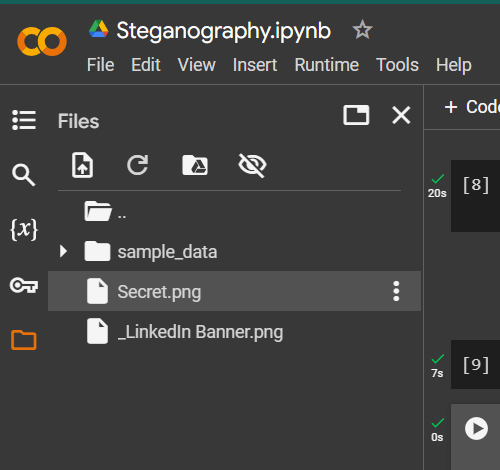
Your text embedded image is now ready. Moving forward we will extract content from the image.
secret_message = lsb.reveal("/content/Secret.png")
print(secret_message)
The reveal function works by analysing the least significant bits (LSBs) of the image data. The reveal function can statistically identify these slight modifications and reconstruct the original message based on the altered LSB patterns.
Overall the .hide function acts as encoder and the .reveal function acts as the decoder specifically designed to work with images. Both the image look the same, no difference at all !!

This code provides a basic example of using stegano. If you’re interested in learning more, the library offers functionalities for hiding data in other media formats. Try it yourself !!
Thank you for reading. Keep learning , keep exploring !!

 THE NUCLEAR GEEKS